
Introduction
Computers have become an essential part of modern life. From completing office assignments and attending online classes to playing games and browsing the internet, people depend on computers for numerous everyday activities. However, many users operate computers without understanding the important components that make them work. One of the most significant components is the CPU, which plays a central role in processing information and executing instructions.
The full form of CPU is Central Processing Unit. It is commonly described as the brain of a computer because it controls operations, performs calculations, and processes instructions received from different programs and devices. Without a CPU, a computer cannot perform its basic computing tasks. Understanding its meaning, functions, components, and working process helps users develop a better understanding of computer technology.
What Is the Full Form of CPU?
The full form of CPU is Central Processing Unit. It is a primary hardware component responsible for interpreting and executing instructions in a computer system. Whenever someone opens an application, types a document, watches a video, or performs calculations, the CPU helps process the instructions required to complete those activities.
The Central Processing Unit communicates with other computer components, including memory, storage devices, and input and output hardware. It receives instructions, processes information, and coordinates different operations. Its performance has a significant influence on how quickly and efficiently a computer can complete various tasks.
A CPU is not limited to desktop computers. It is also found in laptops, smartphones, tablets, servers, gaming consoles, and many other electronic devices. Although CPUs differ in design, size, and processing capabilities, their basic purpose remains similar.
Why Is the CPU Called the Brain of a Computer?
The CPU is often called the brain of a computer because it manages and executes most of the instructions required for system operations. Just as the human brain coordinates different activities in the body, the CPU processes commands and helps different hardware components work together.
For example, when a user opens a calculator application and enters a mathematical expression, the CPU processes the instructions necessary to perform the calculation. It also manages operations involved in displaying the result on the screen.
Similarly, when someone plays a computer game, the processor handles game instructions, calculations, and other processing activities. Graphics processing may also involve a separate GPU, which is specially designed to handle visual workloads.
The CPU does not independently perform every computer operation. Instead, it works with memory, storage, graphics processors, and other hardware components to deliver a complete computing experience.
Main Functions of a CPU
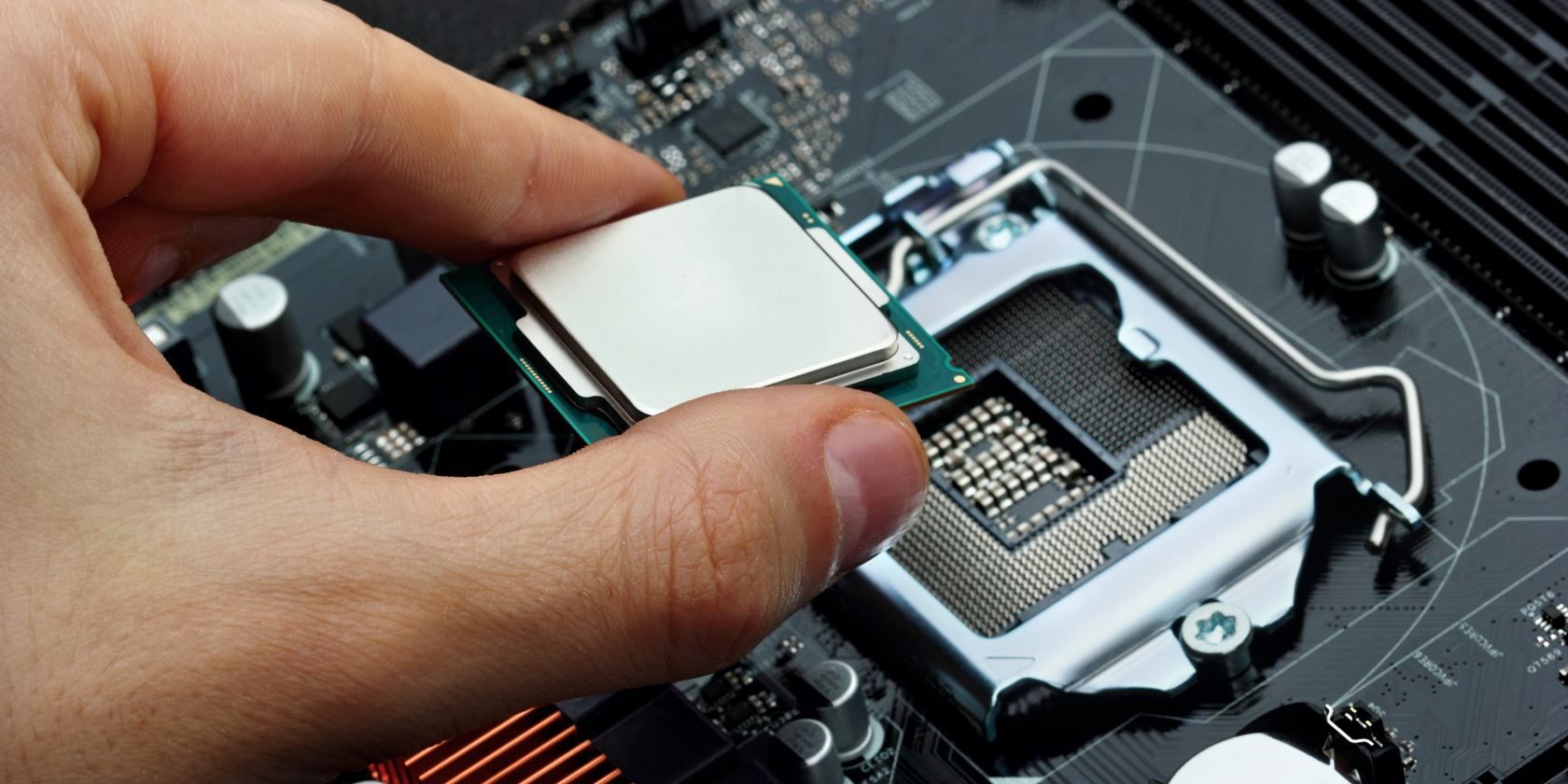
The Central Processing Unit performs several important functions that allow a computer to operate properly. These functions involve processing instructions, performing calculations, managing information, and coordinating hardware activities.
1. Processing Instructions
One of the primary responsibilities of the CPU is to process instructions provided by computer programs. Every application contains instructions that tell the computer what actions to perform.
When a user opens a web browser, the processor handles the instructions required to launch the application and support its operations. It continuously processes commands while the software is running.
2. Performing Mathematical Calculations
The CPU performs arithmetic operations such as addition, subtraction, multiplication, and division. These calculations are necessary for many computing activities, including spreadsheets, financial software, scientific applications, and everyday programs.
It also performs logical comparisons that help programs make decisions based on specific conditions.
3. Controlling Computer Operations
The processor helps coordinate different activities within the computer system. It manages the execution of instructions and communicates with other components to ensure that tasks are completed in the correct order.
4. Managing Data
A CPU processes information received from memory and other hardware components. It works with temporary data and instructions to complete different operations efficiently.
5. Executing Software Programs
Every software application requires processing resources to function. The CPU executes the instructions that allow operating systems, browsers, games, and productivity applications to work.
Main Components of a CPU
A processor contains several important internal components. Each component performs a specific responsibility and contributes to the overall processing system.
1. Arithmetic Logic Unit (ALU)
The Arithmetic Logic Unit, commonly called the ALU, is responsible for mathematical and logical operations. It performs calculations such as addition, subtraction, multiplication, and division.
Apart from arithmetic operations, the ALU compares values and performs logical operations. These activities help applications process information and make decisions.
2. Control Unit (CU)
The Control Unit manages and coordinates the activities of the processor. It fetches instructions from memory, interprets them, and directs the appropriate components to perform the required operations.
It also helps coordinate communication between the CPU, memory, and other hardware devices. The Control Unit ensures that instructions are processed in an organized manner.
3. Registers
Registers are small, high-speed storage locations located inside the processor. They temporarily hold data, instructions, and addresses that the CPU needs while performing operations.
Because registers are extremely fast, they help the processor access important information without repeatedly retrieving it from slower storage locations.
4. Cache Memory
Cache memory is a small amount of high-speed memory located within or very close to the processor. It stores frequently accessed instructions and data so that the CPU can retrieve them quickly.
Modern processors commonly include multiple cache levels, such as L1, L2, and L3. These levels help reduce delays when accessing frequently needed information.
How Does a CPU Work?
The working process of a CPU generally follows a repeated sequence known as the instruction cycle. This cycle allows the processor to execute program instructions and complete different computing activities.
The process usually involves four important stages: fetch, decode, execute, and store.
Fetch: The processor retrieves an instruction from computer memory. The instruction contains information about the operation that needs to be performed.
Decode: The Control Unit interprets the instruction and determines what action is required. It identifies the necessary operation and resources.
Execute: The processor performs the requested operation. This may involve mathematical calculations, logical comparisons, or moving information between different locations.
Store: The result is written to an appropriate register or memory location so that it can be used by the next instruction or another program.
These stages happen repeatedly and extremely quickly. Modern processors can execute billions of clock cycles per second, depending on their operating frequency and architecture.
Different Types of CPUs
Processors are available in different designs to support various computing requirements. Their capabilities depend on architecture, core count, power consumption, and intended applications.
1. Single-Core CPU

A single-core processor contains one processing core that executes instructions. Older computers commonly used this type of processor.
Although single-core processors are suitable for basic computing activities, they generally have limited multitasking capabilities compared with modern multicore processors.
2. Dual-Core CPU
A dual-core processor contains two processing cores within a single processor. These cores can handle multiple tasks more efficiently than a traditional single-core design.
Dual-core processors are suitable for basic office work, internet browsing, educational activities, and everyday computing.
3. Quad-Core CPU
A quad-core processor contains four processing cores. It can manage multiple processing tasks simultaneously, making it useful for multitasking and various demanding applications.
These processors are commonly found in computers designed for general productivity, entertainment, and moderate workloads.
4. Hexa-Core CPU
A hexa-core processor contains six processing cores. It offers additional processing resources for multitasking, content creation, gaming, and other demanding activities.
5. Octa-Core CPU
An octa-core processor contains eight processing cores. It is commonly used in modern smartphones, laptops, and desktop computers.
Octa-core processors can support multiple applications and demanding workloads, although actual performance depends on processor architecture and software optimization.
Difference Between CPU and GPU
The CPU and GPU are both important processing components, but they are designed for different purposes.
| Feature | CPU | GPU |
|---|---|---|
| Full Form | Central Processing Unit | Graphics Processing Unit |
| Main Purpose | General computing | Graphics and parallel processing |
| Processing Cores | Usually fewer powerful cores | Usually many smaller processing units |
| Main Work | General instructions and calculations | Visual processing and parallel tasks |
| Applications | Operating systems and software | Gaming, rendering, and AI workloads |
A CPU is designed to handle a wide variety of instructions efficiently. A GPU is designed to perform many similar calculations simultaneously, making it particularly useful for graphics processing, machine learning, and scientific computing.
Both components often work together to improve overall computer performance.
What Is CPU Speed?
CPU speed refers to the operating frequency at which a processor performs its clock cycles. It is generally measured in gigahertz (GHz).
For example, a processor operating at 3.5 GHz has a clock frequency of approximately 3.5 billion cycles per second. However, this does not mean it necessarily completes 3.5 billion instructions every second because an instruction may require multiple cycles, and modern processors can also execute multiple instructions during a single cycle.
CPU speed is an important performance factor, but it is not the only one. Processor architecture, core count, cache size, thermal limits, and power efficiency also influence performance.
Therefore, comparing processors only by their GHz rating may not provide an accurate understanding of their overall capabilities.
Importance of CPU in Everyday Life
The CPU plays an important role in almost every area of modern technology. It supports the operation of computers, smartphones, digital systems, and numerous electronic devices.
In education, processors help students attend online classes, prepare presentations, conduct research, and use learning applications. In business environments, CPUs support accounting software, communication platforms, databases, and office management systems.
In entertainment, processors help operate gaming systems, streaming applications, and multimedia software. They also support scientific research, engineering applications, and industrial automation.
Modern technological developments, including artificial intelligence, cloud computing, and advanced data processing, have increased the importance of powerful processors. As software becomes more advanced, the demand for efficient and capable CPUs continues to grow.
Factors to Consider When Choosing a CPU
Selecting the right processor depends on how someone plans to use their computer. Different users have different computing requirements, so choosing a suitable processor can improve performance and provide better value.
Some important factors include:
-
Core count: More cores can help with multitasking and applications designed for parallel processing.
-
Clock speed: Higher operating frequencies can improve performance in certain workloads.
-
Cache memory: Larger cache capacity can help reduce data access delays.
-
Power consumption: Efficient processors can help reduce electricity usage and heat generation.
-
Compatibility: The processor must be compatible with the motherboard, socket, memory, and other system components.
For basic browsing and office work, an entry-level processor may be sufficient. However, professional video editing, gaming, software development, and other demanding activities may require a more capable processor.
Future of CPU Technology
CPU technology continues to evolve as manufacturers develop faster, smaller, and more energy-efficient processors. Modern processor designs focus on improving performance while controlling power consumption and heat generation.
One important development is the increasing use of multicore architectures. Instead of depending only on higher clock speeds, manufacturers are adding more processing cores to support complex workloads.
Another important trend is the integration of specialized processing units. Modern computing systems may combine traditional CPU cores with graphics processors and dedicated AI accelerators. This approach allows different tasks to be handled by hardware specifically designed for them.
Future processors are expected to support more advanced computing applications, including artificial intelligence, robotics, scientific research, and connected devices. These developments will continue to make processors an essential part of digital technology.
Frequently Asked Questions (FAQs)
1. What is the full form of CPU?
The full form of CPU is Central Processing Unit. It is an important hardware component that processes instructions, performs calculations, and manages different operations within a computer system.
2. Why is a CPU called the brain of a computer?
A CPU is called the brain of a computer because it executes instructions and coordinates various computing activities. It helps software applications and hardware components work together to complete different tasks.
3. What are the main components of a CPU?
The main components include the Arithmetic Logic Unit (ALU), Control Unit (CU), registers, and cache memory. These components work together to process instructions and manage information.
4. What is CPU speed measured in?
CPU speed is generally measured in gigahertz (GHz). It represents the processor’s clock frequency and indicates how many clock cycles it can perform per second.
5. Is a CPU important for gaming?
Yes, a CPU is important for gaming because it processes game instructions, manages background activities, and handles various calculations. However, gaming performance also depends on the graphics card, memory, and other hardware components.
6. What is the difference between CPU and RAM?
The CPU processes instructions and performs calculations, whereas RAM temporarily stores the data and programs currently being used. Both are essential for a computer to function efficiently.
Conclusion
Understanding the full form of CPU helps explain one of the most important concepts in computer technology. CPU stands for Central Processing Unit, and it acts as the primary processing component responsible for executing instructions, performing calculations, and coordinating different computer operations.
Its major components, including the Arithmetic Logic Unit, Control Unit, registers, and cache memory, work together to support efficient processing. From basic educational activities to advanced gaming, artificial intelligence, and professional applications, CPUs play an essential role in modern digital systems.
As technology continues to develop, processors will become increasingly powerful and energy-efficient. Learning about their functions and working principles provides a strong foundation for anyone interested in computers and modern technology.