
Introduction
The computer has become one of the most important technological inventions in modern society. It is used in homes, schools, offices, hospitals, banks, businesses, research centers, industries, and almost every area of everyday life. People use computers for writing documents, communicating with others, studying, calculating information, storing files, designing products, managing businesses, and accessing digital services. Because computers are such an important part of modern life, students and general readers frequently search for what is the full form of computer.
A common answer found in educational materials describes COMPUTER as “Common Operating Machine Particularly Used for Trade, Education and Research.” However, this is generally considered a backronym or educational expansion rather than an official historical full form. The word “computer” is derived from the word “compute,” which means to calculate or perform calculations. A computer is more accurately understood as an electronic device or system that accepts data, processes it according to instructions, stores information, and produces useful results. Understanding this distinction is helpful for students who want to learn the actual meaning, development, components, types, and applications of computers.
What Is the Full Form of Computer?
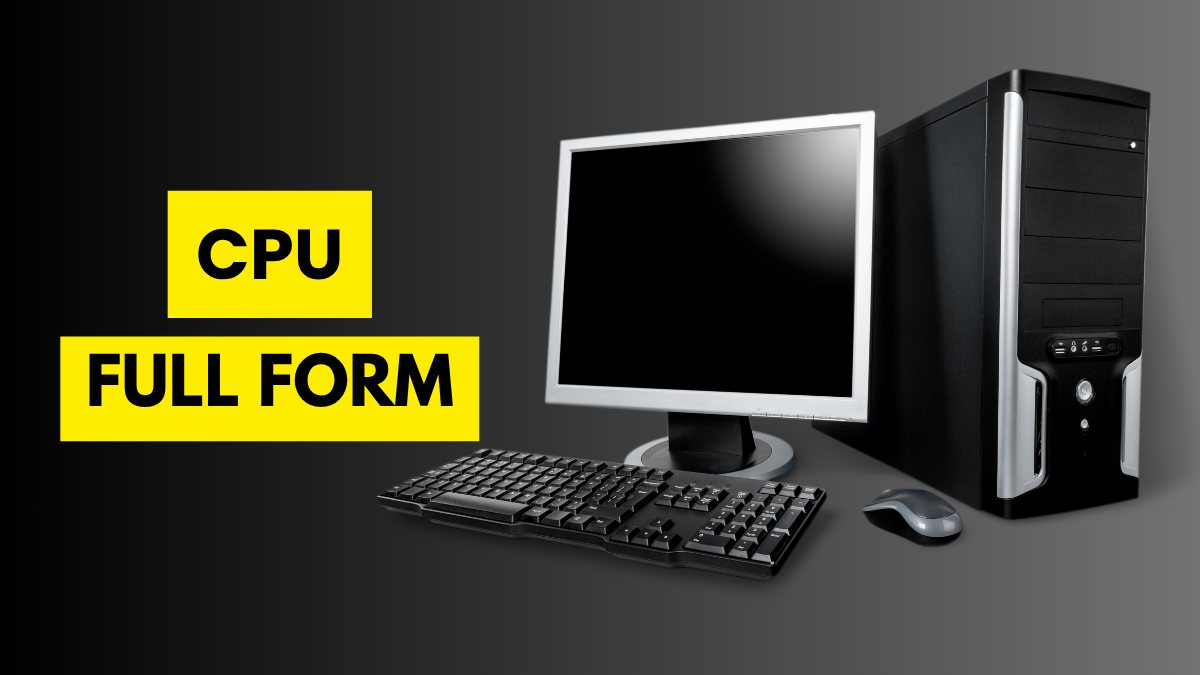
When people ask what is the full form of computer, they are often expecting an expansion of the word COMPUTER. A commonly circulated expansion is:
C – Common
O – Operating
M – Machine
P – Particularly
U – Used for
T – Trade
E – Education
R – Research
This produces the phrase “Common Operating Machine Particularly Used for Trade, Education and Research.”
However, it is important to understand that this phrase is not the official origin of the word computer. It is an informal expansion that is frequently used in educational content and general-knowledge questions. Historically, the word “computer” came from the idea of computation and originally referred to a person or machine involved in calculating.
Therefore, students should distinguish between a popular acronym-style expansion and the actual linguistic origin of the term.
The Actual Meaning of Computer
A computer is an electronic or digital system capable of receiving data, processing it according to programmed instructions, storing information, and producing an output. Modern computers can perform millions or billions of operations in a very short period.
The basic working process of a computer can be understood through four major activities: input, processing, storage, and output. A user provides information through an input device, the processor performs operations on that information, data can be stored for future use, and the resulting information is presented through an output device.
This ability to process information quickly and accurately makes computers useful across many industries. Although computers can perform complex operations, they require instructions, software, and appropriate data to produce meaningful results.
Why Is the Computer Important?
Computers have transformed the way people work, learn, communicate, and manage information. In education, computers provide access to digital learning materials, presentations, educational software, research resources, and online classrooms.
In business, computers are used for accounting, inventory management, customer records, communication, data analysis, and planning. Hospitals use computer systems to manage patient records, laboratory information, medical imaging, scheduling, and administrative operations.
Governments and public organizations also rely on computer systems for documentation, data management, communication, public services, and administrative activities. As technology continues to develop, computers are becoming increasingly connected with cloud computing, automation, data analysis, and other digital technologies.
History of Computers
The history of computing is much older than modern electronic computers. Humans developed various tools to assist with calculations long before electricity was used for computing. Devices such as the abacus helped people perform arithmetic operations.
During the nineteenth century, inventors and mathematicians developed mechanical calculating machines. Charles Babbage designed the Analytical Engine, a theoretical mechanical machine that contained concepts resembling components of modern computers. Ada Lovelace is widely recognized for writing an early algorithm intended for the Analytical Engine.
The twentieth century brought major developments in electronic computing. Early electronic computers were large, expensive, and required substantial amounts of electricity. Over several decades, technological advances in transistors, integrated circuits, microprocessors, and semiconductor memory made computers increasingly smaller, faster, more reliable, and affordable.
Generations of Computers
Computer development is often explained through different generations. The first generation used vacuum tubes and was characterized by large physical size and high energy consumption.
The second generation introduced transistors, which were smaller, more reliable, and more efficient than vacuum tubes. The third generation used integrated circuits, allowing more components to be placed into smaller spaces.
The fourth generation was associated with microprocessors and the development of personal computers. This period dramatically increased computer accessibility for households, schools, and businesses.
Modern computing is sometimes described as a fifth generation, particularly in discussions involving artificial intelligence, advanced processing, natural-language interaction, and intelligent systems. These categories are useful for understanding technological history, although different educational sources may define computer generations somewhat differently.
Main Components of a Computer
Understanding what is the full form of computer becomes more meaningful when students also understand the major parts of a computer. Hardware refers to the physical components that can be seen and touched, while software consists of programs and instructions that tell the hardware what to do.
The central processing unit, or CPU, performs many of the computer’s essential processing operations. Memory provides temporary working space, while storage devices retain information for longer periods.
Input devices allow users to provide data, and output devices communicate processed information back to the user. Together, these components create a functioning computing system.
Input Devices
Input devices are used to provide information and instructions to a computer. The keyboard is one of the most familiar input devices and allows users to enter letters, numbers, symbols, and commands.
A mouse allows users to interact with graphical interfaces by moving a pointer and selecting items. Other input devices include scanners, microphones, cameras, touchscreens, and specialized sensors.
The type of input device depends on the task being performed. For example, a graphic designer may use a drawing tablet, while a researcher may use specialized scientific sensors to collect data.
Output Devices
Output devices communicate processed information to users. A monitor displays text, images, videos, applications, and other visual information.
Printers create physical copies of digital documents, while speakers and headphones provide audio output. Projectors can display computer-generated content on larger surfaces for classrooms, meetings, and presentations.
Different computers can have different output configurations depending on their intended purpose. A gaming computer may emphasize high-quality visual output, while an office computer may focus more on documents and productivity applications.
Central Processing Unit
The CPU is often described as the brain of a computer because it performs and coordinates many processing operations. It executes instructions provided by software and works with memory and other components to complete tasks.
Modern processors contain multiple cores, allowing them to handle multiple operations more efficiently. Processor performance depends on several factors, including architecture, clock speed, number of cores, cache, and workload.
However, processor speed alone does not determine the overall performance of a computer. Memory, storage, software optimization, graphics capabilities, and other components also influence how a system performs.
Computer Memory and Storage
Computer memory and storage serve different purposes. Random Access Memory, commonly called RAM, provides temporary working space for active applications and data. Information in RAM is generally lost when the system is powered off.
Storage devices such as solid-state drives and hard disk drives retain information for longer periods. They can store operating systems, applications, documents, photographs, videos, and other files.
Modern computers increasingly use solid-state storage because it can provide faster access and improved physical durability compared with traditional mechanical hard drives.
Types of Computers
Computers are available in many forms. Desktop computers are commonly used in offices, schools, homes, and professional environments. Laptops provide portability by combining the main components into a compact device.
Tablets and smartphones are also powerful computing devices, although they are designed around mobile interfaces and specialized hardware. Servers are designed to provide services and resources to other computers over networks.
Supercomputers are built for highly demanding calculations and are used in areas such as scientific research, weather modeling, engineering simulations, and other computationally intensive applications.
Software and Operating Systems
Hardware cannot perform useful tasks without software. Software consists of programs and instructions that tell a computer how to operate.
An operating system manages hardware resources and provides an environment for applications. Examples of operating-system families include Windows, macOS, Linux, Android, and others.
Application software performs specific tasks such as word processing, photo editing, accounting, communication, web browsing, programming, and entertainment.
The combination of hardware and software allows computers to perform a wide variety of activities.
Uses of Computers in Education
Education is one of the most significant areas affected by computers. Students can use computers to create assignments, prepare presentations, conduct research, attend online classes, practice skills, and access digital learning materials.
Teachers can use computers for lesson planning, assessment, presentations, record management, and communication.
Computer literacy is also increasingly important because many academic and professional activities involve digital systems. Learning basic computer skills can therefore help students become more confident in modern educational environments.
Uses of Computers in Business
Businesses depend heavily on computers for everyday operations. Companies use computer systems to manage financial records, employee information, customer databases, inventory, sales, communication, and marketing.
Advanced computing systems can also help businesses analyze large amounts of information and identify trends. Online commerce relies extensively on computers, networks, databases, payment systems, and software platforms.
As organizations become more digital, computer skills have become valuable across numerous professional fields.
Uses of Computers in Healthcare
Healthcare organizations use computers for many administrative and clinical activities. Digital systems can help manage patient information, appointment schedules, laboratory results, billing, medical images, and communication.
Researchers also use high-performance computers for analyzing large datasets and conducting scientific studies.
Computer technology does not replace healthcare professionals, but it can provide tools that help organizations manage information more efficiently and support decision-making.
Advantages of Computers
Computers offer several important advantages. They can process large amounts of information rapidly, automate repetitive tasks, store significant quantities of data, and provide consistent results when properly programmed.
They also make communication and information sharing easier. Digital files can be created, edited, stored, and transmitted without requiring physical copies.
Another advantage is versatility. The same computer can be used for education, entertainment, business, communication, design, programming, research, and many other activities simply by installing or accessing appropriate software.
Limitations of Computers
Despite their many advantages, computers also have limitations. A computer does not independently understand every situation like a human being. It operates according to its hardware, software, data, and instructions.
Incorrect data can produce incorrect results. Technical failures, malware, cybersecurity threats, privacy problems, and system errors can also create challenges.
Excessive dependence on computers may also create problems if people neglect physical activity, face-to-face communication, or other important aspects of daily life.
Therefore, computers are powerful tools, but they need to be used responsibly.
Importance of Computer Education
Understanding what is the full form of computer is only the beginning of computer education. Students should also learn how computers operate, how to use software effectively, how to manage files, and how to protect personal information.
Basic digital literacy includes creating strong passwords, recognizing suspicious messages, understanding privacy settings, and using reliable software.
As workplaces become increasingly digital, computer education can help students prepare for academic and professional opportunities.
Computer and Modern Technology
Computers form the foundation of many modern technologies. Cloud computing allows users to access computing resources and data through networks. Artificial intelligence systems depend on powerful computing infrastructure and sophisticated software.
Internet services, digital payments, online education, video streaming, mobile applications, and modern communication systems all rely on computer technology.
Future developments may produce faster processors, more efficient devices, improved connectivity, and increasingly capable software. These developments will continue expanding the role of computers in everyday life.
The Phrase “Full Form of India by TravelTweaks”
The phrase full form of india by traveltweaks is separate from the topic of computers. India is the name of a country, and it is not an acronym that has an officially recognized expanded form.
Some online educational pages may present creative expansions for the word India, but such interpretations should not be confused with an official full form.
Readers searching for full form of india by traveltweaks are therefore looking for a different general-knowledge topic. Keeping the two keywords separate helps avoid confusion when researching computer terminology and information about India.
Frequently Asked Questions
What is the full form of computer?
A commonly circulated educational expansion is “Common Operating Machine Particularly Used for Trade, Education and Research.” However, this is not the official linguistic origin of the word computer.
What is a computer?
A computer is an electronic or digital system that accepts data, processes it according to instructions, stores information, and produces output.
Who invented the computer?
There is no single inventor of the modern computer. Many scientists, mathematicians, engineers, and inventors contributed to the development of computing technology. Charles Babbage is often called the father of the computer because of his designs for mechanical calculating engines.
What are the main parts of a computer?
Major components include the CPU, memory, storage, input devices, output devices, motherboard, and other hardware components.
Why are computers important?
Computers are important because they can process information rapidly, automate tasks, store data, support communication, and provide tools for education, business, science, healthcare, and entertainment.
Conclusion
Understanding what is the full form of computer is a common starting point for students exploring computer fundamentals. The commonly circulated expansion, “Common Operating Machine Particularly Used for Trade, Education and Research,” is useful as an educational acronym, but it should not be confused with the historical origin of the word. The term computer is related to computation and originally referred to calculation.
Today, computers are much more than calculating machines. They are powerful systems capable of processing information, running software, storing data, supporting communication, and performing complex tasks. From classrooms and offices to hospitals, laboratories, industries, and homes, computers have become an essential part of modern life.
The phrase full form of india by traveltweaks is unrelated to computer terminology and represents a separate general-knowledge search topic. Understanding keywords in their proper context can help readers find accurate information.
As technology continues to advance, computer knowledge will remain valuable. Learning the fundamentals of hardware, software, networks, security, and digital literacy can give students and professionals a stronger foundation for participating confidently in an increasingly digital world.

